New Student - Housing Application
New students who have paid their matriculation fee will receive an email from Admissions with instructions for submitting their housing application.
Login to the Admissions Portal
- Login to the Admissions Portal (https://tayloru.my.site.com/App/AdmissionsAppLogin) with the same username and password used to access the Admissions application.
- If you’ve forgotten your password, click "Forgot Password" to reset it.
- An email will be sent with instructions to reset the password
- The username and password used for the Admissions Portal are separate from the Taylor username and password used to login to myTAYLOR (myTAYLOR).
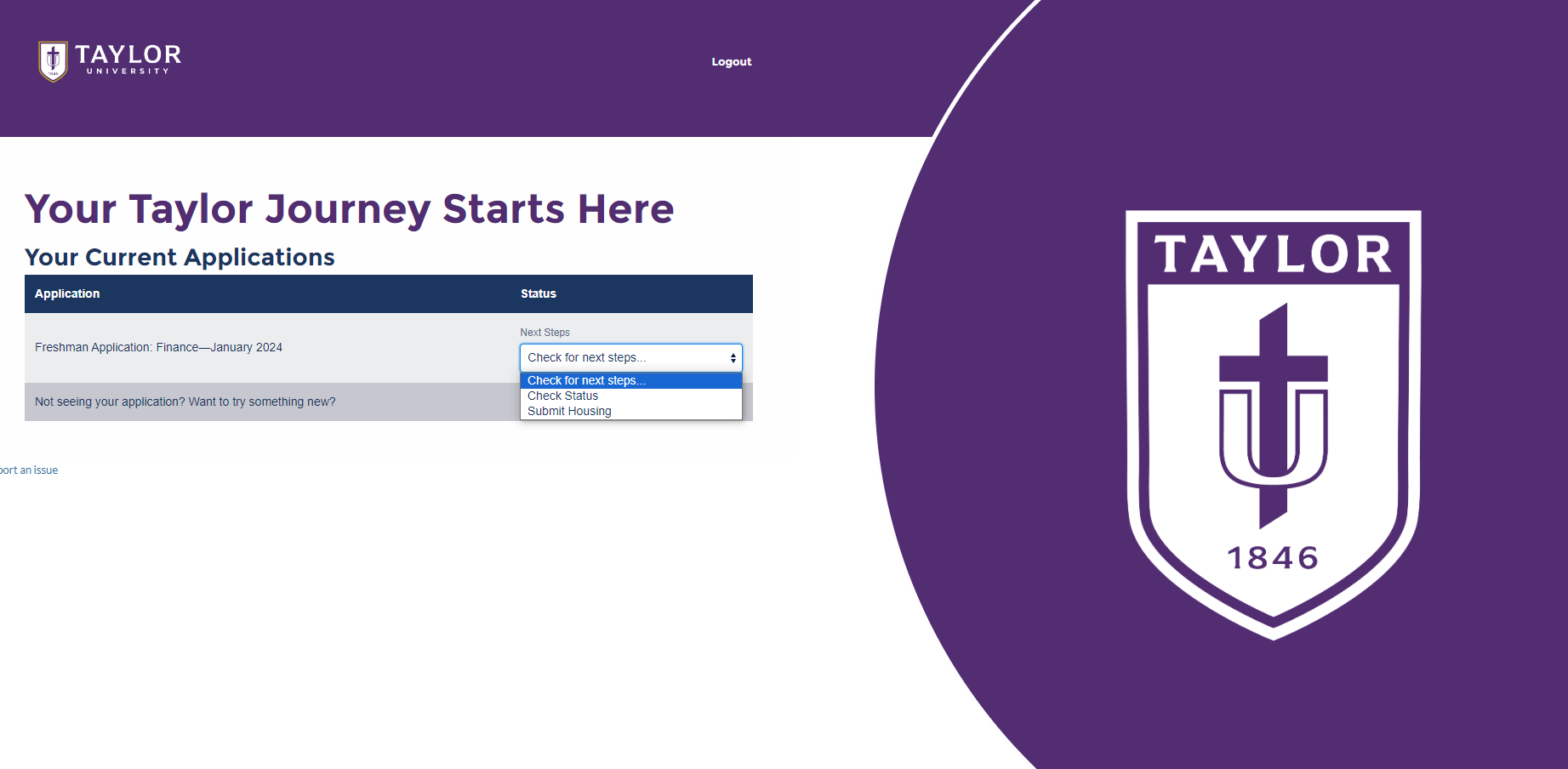
Submit your housing request.
- Login to the Admissions Application portal here.
- Click the "Check for next steps" dropdown button.
- Select "Submit Housing" to submit save your changes.